Catch the thought before it's gone.

Hold the button and say it. Braindrop turns your voice note into a clean task, message, or lead, and sends it straight to where it belongs.
Get it onGoogle Play Most drops take under ten seconds.
Braindrop history screen showing delivered drops
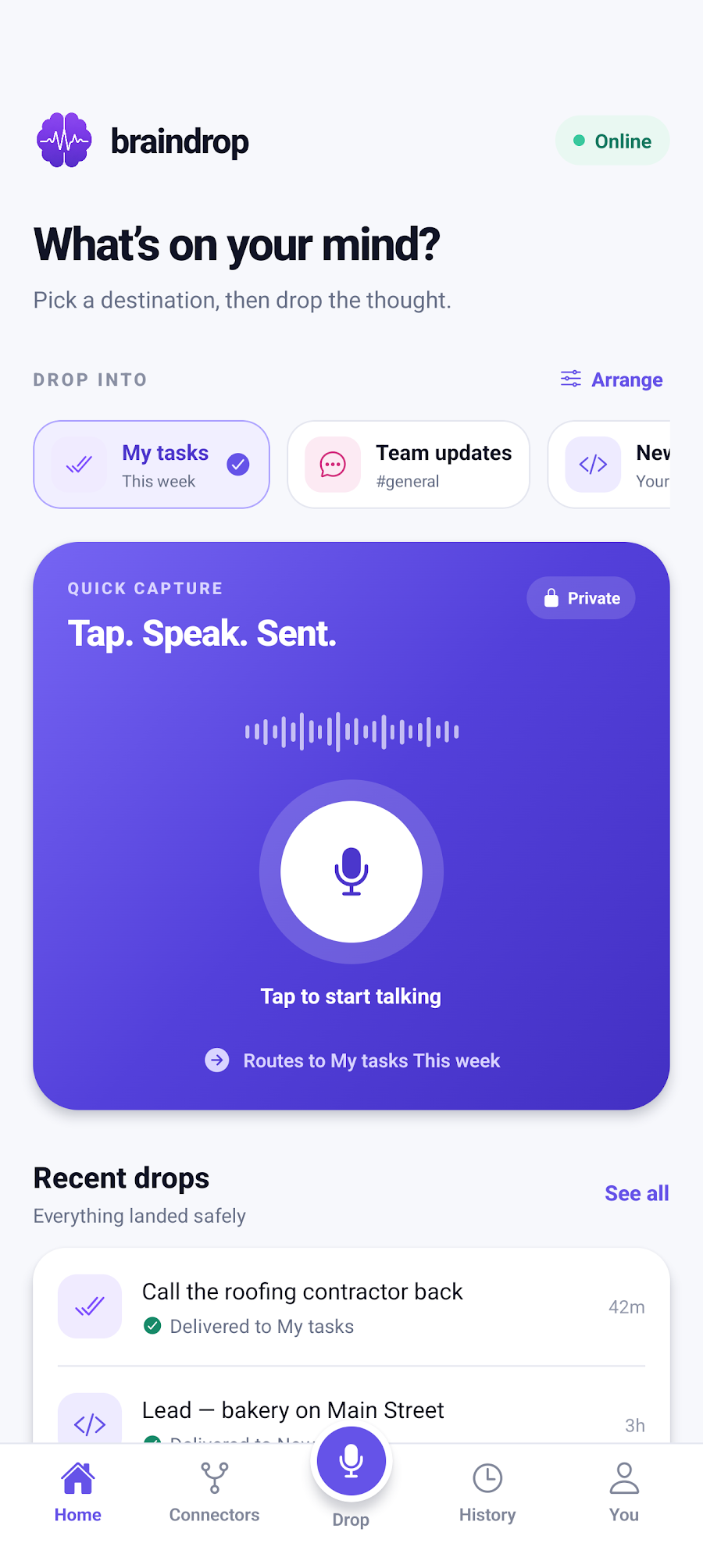
Braindrop home screen with a big record button
Task createdDue tomorrow · ClickUp
Posted to #generalSlack
Lead deliveredYour CRM accepted the drop
Sound familiar?

Ten minutes later, it's gone.

At a red light

A great idea for the spring promo hits you, right as the light turns green.

Remembered later Forgotten by lunch
Driving past a business

You pass a bakery with a dated website. Perfect lead. You'll call them later.

Called them Never thought of it again
Hands full

Carrying groceries when you remember the standup needs to move to Thursday.

Told the team Everyone showed up Wednesday

Braindrop is built for that ten minutes.
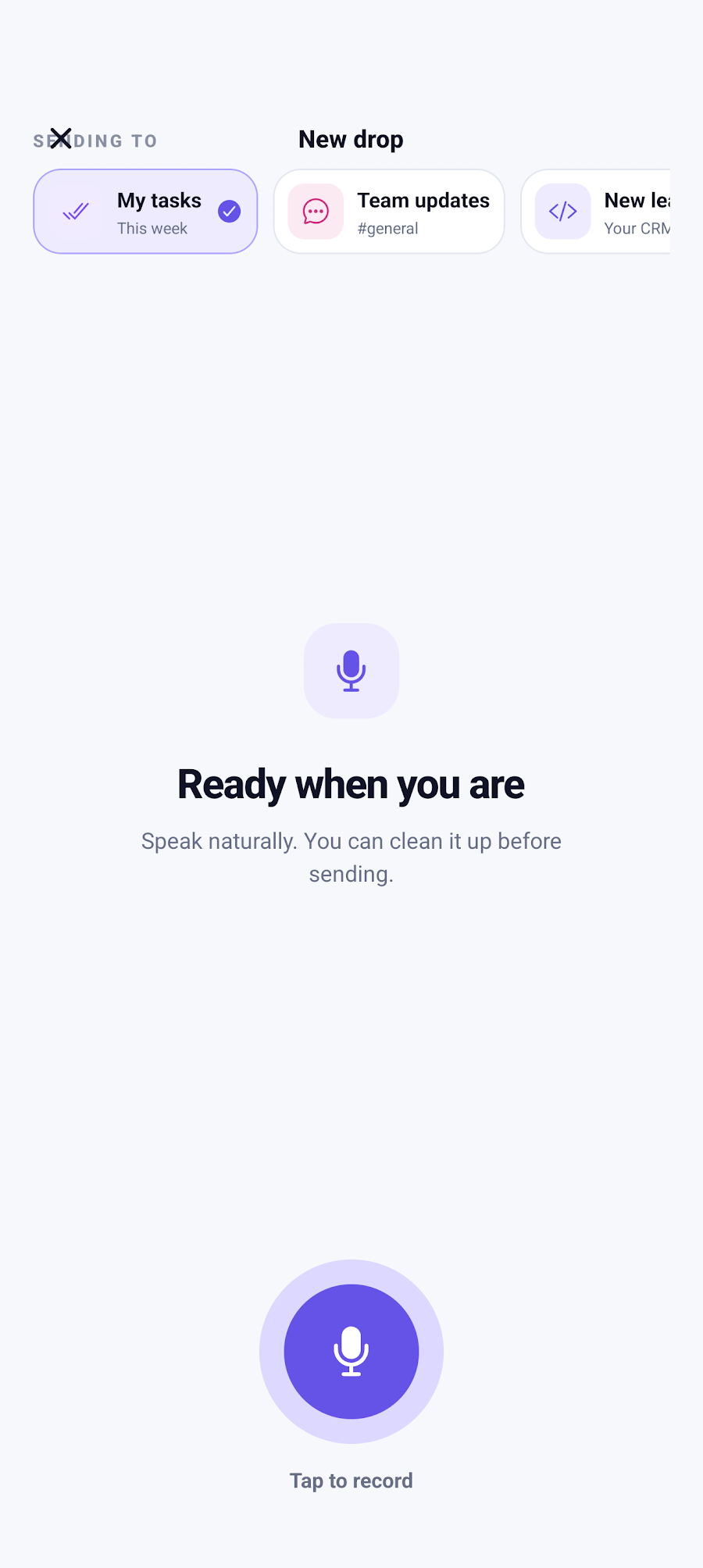
Recording screen: pick a destination, then tap to record
Capture

Press. Speak. Release.

Pick where it's going, tap the big button, and talk like you would to a friend. No typing, no app switching.
  • Speak naturally; you can clean it up before it sends
  • Home-screen shortcuts open straight into recording for a destination
  • Reorder favorites so your top spots are one tap away
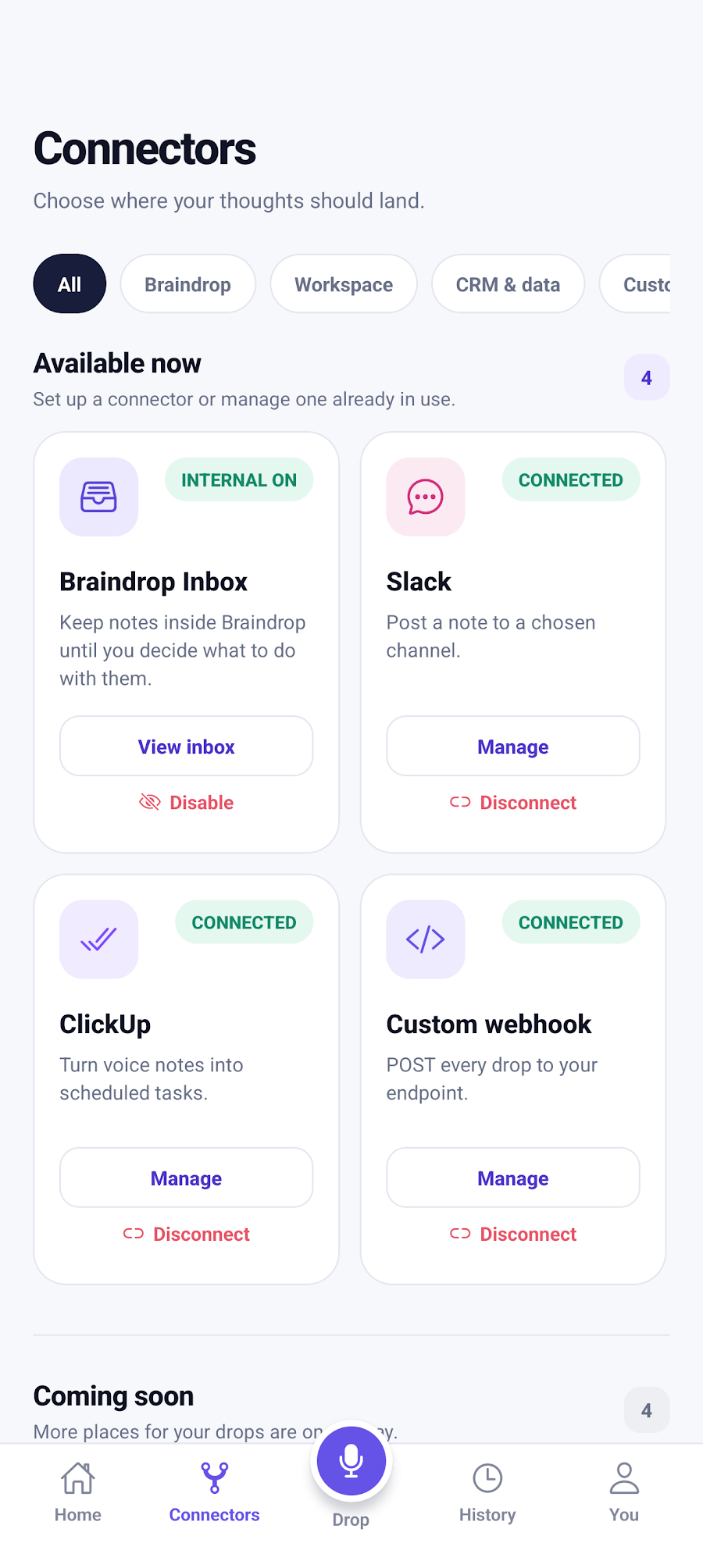
Connectors screen showing Braindrop Inbox, Slack, ClickUp and Custom webhook
Route

Sends where you already work.

Braindrop doesn't want to be another inbox you have to check. It puts the thought in the tool you already live in.

  • ClickUp: a real task with a title and due date, in the list you chose
  • Slack: post to any channel, as many channels as you like
  • Custom webhook: describe the fields in plain English, get structured JSON
  • Braindrop Inbox: a private, searchable home for everything else
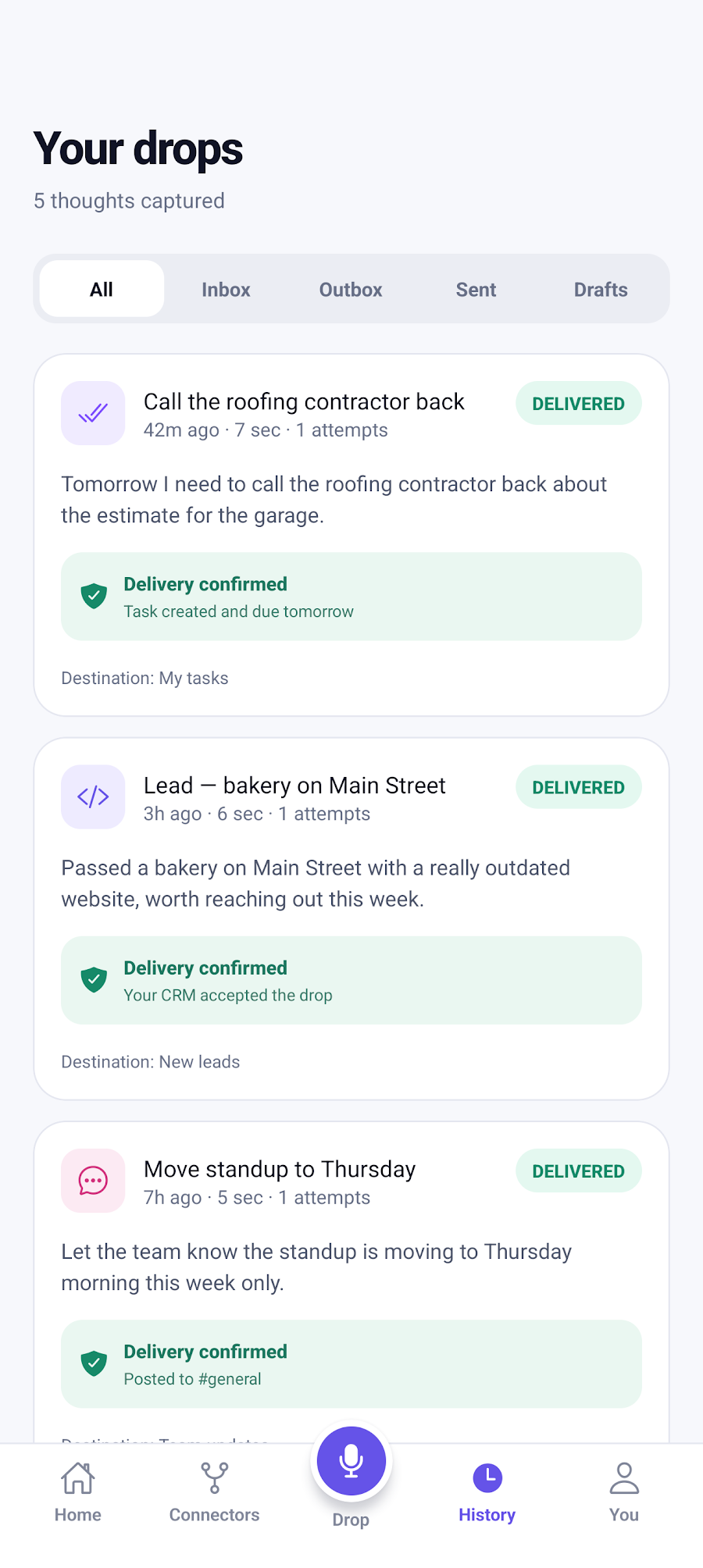
History screen with delivery confirmations for each drop
Done

Know it actually landed.

Every drop gets a receipt. See what was delivered, what's waiting, and retry anything that didn't make it.
  • Delivery confirmed for every drop, with where it went
  • Filter by Inbox, Outbox, Sent, and Drafts
  • One-tap retry if something fails
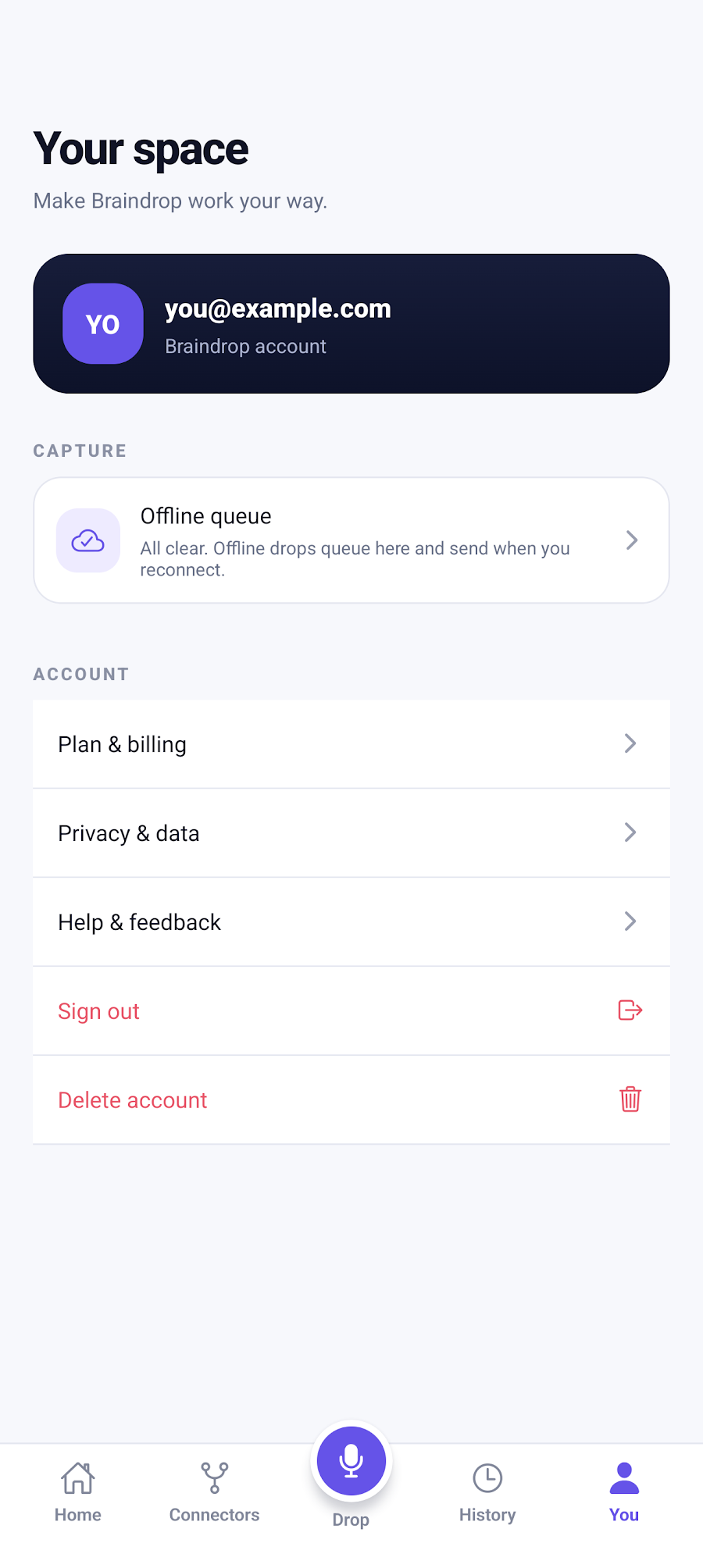
Settings screen showing the offline queue is all clear
No signal? No problem

Works when your signal doesn't.

Record in a basement, on a back road, or on a plane. Braindrop keeps the audio, queues the drop, and sends it automatically when you're back online.

Real examples

Say it messy. It lands clean.

Braindrop figures out the title, the date, and the details, so you don't have to talk like a robot.

"Tomorrow I need to call Bob from Fairway about DNS."
Turned into a ClickUp task
ClickUpNew task in My tasks
Delivered
Call Bob from Fairway about DNS settings
Due tomorrowTo do
"Let the team know standup is moving to Thursday morning this week only."
Rewritten as a Slack post
SlackPosted in #general
Delivered
Heads up: standup is moving to Thursday morning, this week only.
"Passed a bakery on Main Street with a really outdated website, worth reaching out this week."
Filled in as a new CRM lead
Your CRMNew lead via webhook
Delivered
{ "business": "Bakery on Main Street", "reason": "Outdated website", "follow_up": "This week" }
"Idea: a monthly check-in email for past customers with one seasonal tip."
Filed as an idea in your Inbox
Braindrop InboxSaved privately
Saved
Monthly seasonal-tip email for past customers
IdeaSearchable
Private by design

Your keys stay on your phone.

Encrypted on device

Slack webhooks, ClickUp tokens, and custom headers live in encrypted storage on your phone. They're never uploaded to our servers.

Voice deleted after use

Recordings are removed from our storage as soon as they're transcribed. We keep the text, not your voice.

Your account, your drops

Every account is isolated. Ask us to delete it, and everything in it, at any time, and it's gone within 30 days.

Read the full privacy policy →

FAQ

Quick answers.

Something else? Email john@relitechsolutions.com.

Do I need Slack or ClickUp to use it?

No. Turn on the built-in Braindrop Inbox and you can start dropping thoughts right away. Connect other tools whenever you're ready.

Does it work without a signal?

Yes. Record anywhere. Drops are queued on your phone and sent automatically once you're back online.

Can I send to my own CRM or tools?

Yes. The custom webhook connector POSTs structured JSON to any endpoint. Describe the fields you want in plain English and Braindrop fills them in.

Can I check what it heard before it sends?

Yes. You can review and tweak the transcript first, or save it as a draft for later.

Is there an iPhone version?

Braindrop is Android-only for now. Email us if you'd like to hear when that changes.

Stop losing your best ideas.

Next time a thought hits, you'll be ten seconds away from it landing in the right place.

Get it onGoogle Play